Smart Lock Installation Guide: Upgrade Your DFW Home Security in 2025
The days of fumbling for house keys in the dark or hiding a spare under the doormat are over. Smart locks have transformed home security, offering keyless convenience, remote access control, and integration with smart home ecosystems. For Dallas-Fort Worth homeowners, smart locks provide an extra layer of security in one of the fastest-growing metro areas in the country.
But with dozens of brands and models on the market, choosing and installing the right smart lock can be overwhelming. This guide covers everything DFW homeowners need to know—from comparing top brands to understanding installation requirements and choosing between professional and DIY installation.
Why Smart Locks Make Sense for DFW Homes
Convenience in the Texas Heat
When it is 105 degrees outside, the last thing you want is to stand at your front door searching for keys. Smart locks let you unlock with a code, your phone, or even your voice—getting you inside faster.
Short-Term Rental and Guest Access
DFW is a major destination for business travelers, sports fans (Cowboys, Rangers, Mavericks), and tourists. If you rent your property on Airbnb or VRBO, smart locks let you create temporary access codes for each guest and automatically expire them after checkout.
Package Delivery Security
With porch piracy on the rise across DFW suburbs, smart locks combined with smart cameras let you remotely unlock the door for a delivery driver and relock it once the package is safely inside.
Family Management
Give each family member their own unique code. Know when your kids get home from school. Automatically lock the door at bedtime. Smart locks bring intelligence to everyday home security.
Top Smart Lock Brands for 2025
Schlage Encode Plus
Best for: Apple Home Key users and maximum security Price: $250 to $300 Key features:
- ANSI/BHMA Grade 1 security rating (highest residential rating)
- Apple Home Key support (unlock with iPhone or Apple Watch)
- Built-in WiFi (no hub required)
- Up to 100 access codes
- Fingerprint-resistant touchscreen
Pros: Best-in-class security rating, Apple Home Key integration, no hub needed Cons: Premium price, limited Android smart features compared to Apple
August Wi-Fi Smart Lock (4th Gen)
Best for: Renters and those who want to keep their existing deadbolt Price: $200 to $250 Key features:
- Retrofits onto existing deadbolt (keeps your current key)
- Auto-lock and auto-unlock based on phone location
- DoorSense technology detects if door is closed and locked
- Works with Alexa, Google, Apple HomeKit
Pros: Easy installation, keeps existing keys as backup, small and unobtrusive Cons: Requires good WiFi signal at the door, battery life varies
Yale Assure Lock 2
Best for: Smart home enthusiasts who want modular connectivity Price: $180 to $280 (depending on module) Key features:
- Modular design—choose WiFi, Bluetooth, or Z-Wave connectivity
- Touchscreen keypad with backlit numbers
- Up to 250 access codes
- Available with key override or keyless-only
- Works with most smart home platforms
Pros: Modular connectivity options, sleek design, excellent app Cons: Module sold separately from the lock body
Kwikset Halo
Best for: Budget-conscious homeowners wanting a reliable smart lock Price: $150 to $200 Key features:
- Built-in WiFi (no hub required)
- SmartKey technology for easy rekeying
- Up to 250 user codes
- Fingerprint-resistant touchscreen
- ANSI/BHMA Grade 2 security
Pros: Affordable, SmartKey rekeying, good app Cons: Grade 2 security (vs. Grade 1 for Schlage), design is less premium
Google Nest x Yale Lock
Best for: Google Home users Price: $220 to $280 Key features:
- Seamless Google Home/Nest integration
- Tamper-proof keypad
- No keyhole (fully keyless)
- One-touch locking
- Connect with Nest cameras and doorbell
Pros: Perfect Google Home integration, clean no-keyhole design Cons: Requires Nest Connect or Google Home hub for remote access, no key backup
Smart Lock Installation Requirements
What You Need Before Installation
Compatible door and deadbolt: Most smart locks are designed to replace standard single-cylinder deadbolts. Check that your door has:
- A standard deadbolt bore hole (2-1/8 inches diameter)
- Standard backset (2-3/8 or 2-3/4 inches)
- Door thickness between 1-3/8 and 2 inches
- Proper alignment between the bolt and strike plate
WiFi signal at the door: Smart locks need a reliable WiFi connection. Test your WiFi signal strength at the front door. If it is weak, you may need a WiFi extender or mesh system.
Compatible smart home hub (if required): Some locks require a hub for remote access. Check compatibility with your existing setup before purchasing.
DIY Installation
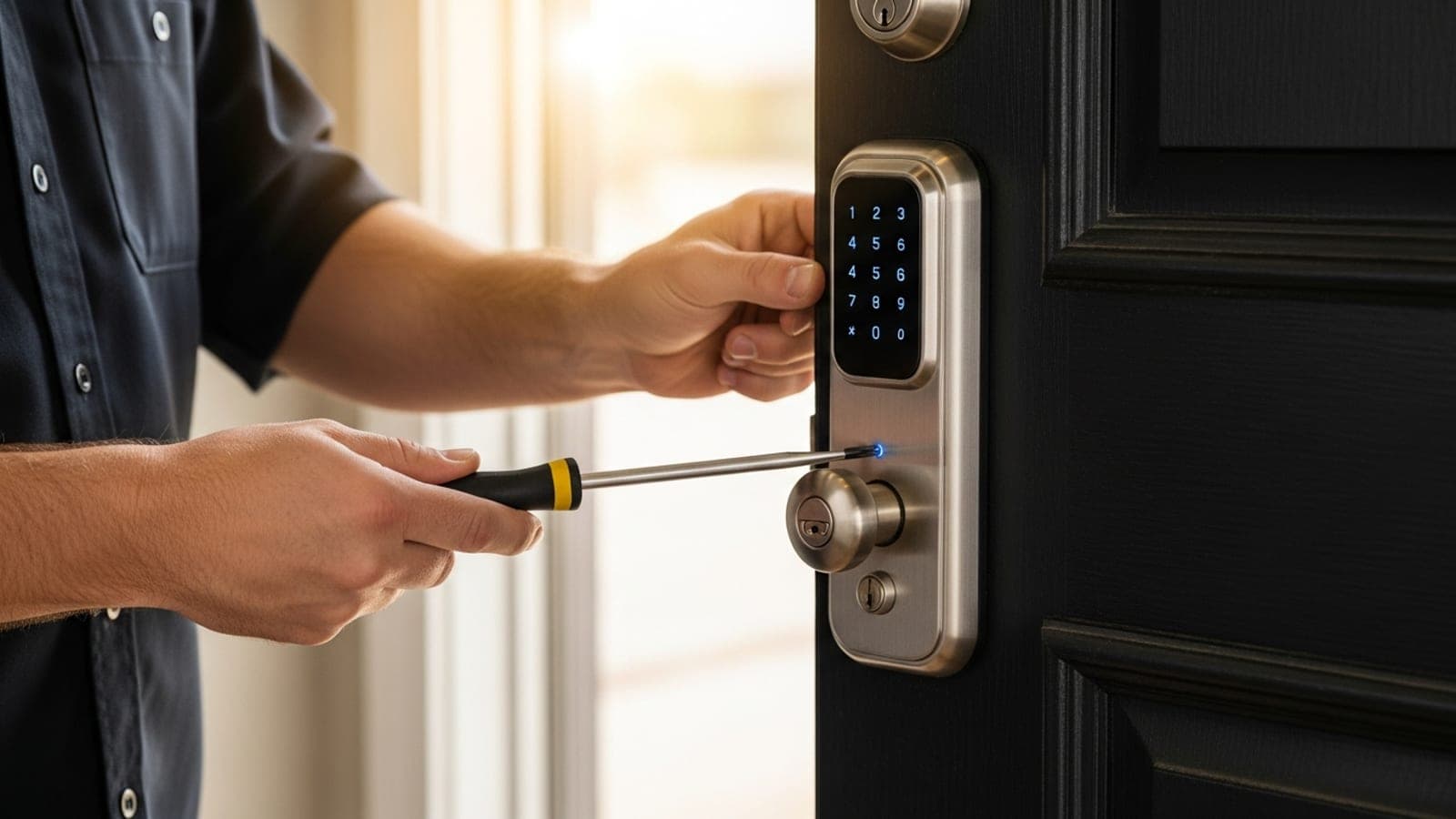
Most smart locks are designed for DIY installation and include step-by-step instructions. If you are comfortable with basic tools, installation takes 15 to 30 minutes.
Tools typically needed:
- Phillips screwdriver
- Tape measure
- Pencil for marking
Common DIY challenges:
- Door alignment issues causing the bolt to bind
- Old deadbolt holes that do not match the new lock's footprint
- WiFi connectivity problems during setup
- Difficulty pairing with smart home systems
Professional Installation
For homeowners who want guaranteed results, professional smart lock installation offers several advantages:
What a professional locksmith provides:
- Assessment of your door for compatibility issues
- Recommendation on the best lock for your specific door and needs
- Proper installation with correct alignment
- WiFi connectivity verification and setup
- Smart home integration and app configuration
- Testing of all features including auto-lock, remote access, and backup entry
- Guidance on creating access codes and managing users
Professional installation cost in DFW: $75 to $200 (plus the lock itself)
Smart Lock Security Considerations
Are Smart Locks Safe?
Smart locks are generally as secure or more secure than traditional locks. However, there are considerations:
Physical security: Look for locks with ANSI/BHMA Grade 1 or Grade 2 ratings. Grade 1 is the highest residential security rating and means the lock can withstand serious physical attack.
Digital security: Reputable brands use AES-128 or AES-256 encryption for wireless communication. Avoid no-name brands with unknown security protocols.
Battery backup: All smart locks run on batteries. Most use 4 AA batteries and last 6 to 12 months. Choose a lock with low-battery warnings and a physical key backup or emergency power option (9V battery terminal).
WiFi vs. Bluetooth vs. Z-Wave:
- WiFi: Convenient (no hub needed) but uses more battery power
- Bluetooth: Best battery life, works without WiFi, but limited range
- Z-Wave: Requires a hub but very reliable and energy-efficient
Smart Lock Best Practices
- Change the default admin code immediately after installation
- Use unique codes for each family member (makes it easy to revoke access)
- Enable auto-lock after a set time period
- Set up low-battery notifications
- Keep a physical backup key in a secure location
- Update the lock's firmware regularly
- Use two-factor authentication on the lock's app
Rekeying vs. Smart Lock: What Makes Sense?
If you have just moved into a new DFW home, you face a choice: rekey the existing locks or upgrade to smart locks.
Choose rekeying ($20 to $50 per lock) if:
- You are on a tight budget
- Your existing locks are in good condition
- You prefer traditional keys
- You rent and the landlord prefers conventional locks
Choose a smart lock ($150 to $300+ per lock) if:
- You want keyless convenience
- You have frequent guests, cleaners, or contractors who need access
- You want to monitor who enters and when
- You are building a smart home ecosystem
- You want to eliminate the risk of lost keys
Best of both worlds: Install a smart lock on the front door and rekey the other exterior doors. This gives you smart convenience where you use it most while keeping costs manageable.
Common Smart Lock Mistakes to Avoid
DFW homeowners often make these mistakes when buying or installing smart locks:
Buying without checking compatibility: Not all smart locks fit every door. Measure your door thickness, backset distance, and bore hole diameter before purchasing. Some smart locks require a specific deadbolt footprint that may not match your existing door preparation.
Ignoring WiFi signal strength: A smart lock with a weak WiFi connection will be unreliable for remote access and notifications. Test your WiFi signal at the door location before buying a WiFi-dependent lock. If the signal is weak, install a WiFi mesh node or extender near the door first.
Forgetting about battery life: Smart locks run on batteries, and dead batteries mean you cannot use the keypad or smart features. Set a calendar reminder to replace batteries every 6 to 9 months. Choose a lock with a low-battery warning that gives you weeks of notice before dying completely.
Not having a backup entry method: Relying solely on Bluetooth or WiFi connectivity is risky. Choose a smart lock that includes at least one backup method such as a physical key override, emergency 9V battery terminal, or a numeric keypad that works offline.
Skipping the physical key backup: Even with a smart lock, keep at least one physical backup key in a secure location outside your home. Technology can fail, apps can crash, and WiFi can go down. A hidden physical key ensures you are never completely locked out.
Over-sharing access codes: Create unique codes for each person and delete them when access is no longer needed. Avoid sharing your master code with anyone, and change it periodically.
Professional Smart Lock Installation in DFW
At Not Your Basic Locksmith, we install and configure all major smart lock brands throughout the Dallas-Fort Worth area:
- Expert installation ensuring proper alignment and function
- WiFi setup and smart home integration (Alexa, Google Home, Apple HomeKit)
- Access code configuration for your family and guests
- Door assessment to verify compatibility before purchase
- All major brands including Schlage, Yale, August, Kwikset, and more
- Same-day service available
We also provide residential locksmith services including lock rekeying, deadbolt installation, and security assessments.
Call (682) 344-1957 to schedule smart lock installation in Arlington, Fort Worth, Dallas, or anywhere in the DFW metroplex.
FAQ
Q: Are smart locks safe and secure? A: Yes. Modern smart locks from brands like Schlage, Yale, and August use AES-128 or AES-256 encryption — the same encryption used in banking. They're as secure as or more secure than traditional deadbolts, with the added benefit of access logging and remote control.
Q: Do smart locks work if the power goes out? A: Yes. Smart locks run on batteries (typically lasting 6-12 months) and are not affected by power outages. Most also include a physical key backup for emergency access.
Q: Can a locksmith install a smart lock? A: Yes. A professional locksmith can install, configure, and program smart locks on most standard doors. We ensure proper fit, alignment, and connectivity with your WiFi or Bluetooth system.
Q: How much does smart lock installation cost? A: Professional smart lock installation typically costs $75-$150 for labor, plus the cost of the lock itself ($150-$350). We can recommend the best lock for your door type and budget.
Q: Can I still use a regular key with a smart lock? A: Most smart locks include a physical key cylinder as backup. You can use a code, fingerprint, phone app, OR a traditional key — giving you multiple access methods.
DFW Market Standards & Industry Context
The automotive locksmith service market in Dallas-Fort Worth follows established industry standards documented by multiple authoritative sources. Per Associated Locksmiths of America (ALOA) published Service Standards, qualified mobile automotive locksmiths in the DFW market should hold Master Automotive Locksmith (MAL) credentials, maintain current OEM diagnostic tool licensing (Autel IM608, AVDI, Xhorse VVDI Prog), and provide flat-rate VIN-based quotes in writing before dispatch.
Per U.S. Bureau of Labor Statistics OEWS 49-9094 data, the U.S. locksmith workforce totals approximately 17,400 across all specialties. The automotive-specialty subset with current OEM tooling and chassis-specific experience represents a small fraction of that total — particularly in specialty work like European luxury all-keys-lost, EEPROM bench programming, and module-level diagnostic.
Real 2026 DFW market pricing context for routine services:
- Standard vehicle lockout: $75-$150 mobile inside Loop 635/I-820; $90-$175 outer DFW corridors
- Transponder key cut + programming: $150-$275 mobile vs $300-$450 + tow at dealership
- Smart-key fob program with working original: $200-$450 mobile vs $400-$650 dealer
- All-keys-lost domestic: $300-$500 mobile vs $500-$900 + tow + 3-7 day wait dealer
- All-keys-lost European luxury: $500-$1,000 mobile vs $1,100-$2,200 + tow + 5-7 days dealer
Per J.D. Power 2024 OEM Service Cost Surveys, dealership labor rates in the DFW market range $145-$240/hour depending on make, with parts markup 30-65% above OEM cost. Mobile operators with the same OEM-licensed programming software operate at $90-$130/hour labor with 10-25% parts markup — a structural cost differential that flows through to customer pricing on every job.
Consumer Protection Verification Standard
Per the Better Business Bureau's published locksmith scam advisory, bait-and-switch pricing is the most-reported pattern in locksmith complaints nationally. The Federal Trade Commission's published consumer protection guidance emphasizes that legitimate service operators quote flat prices in writing before dispatch, identify themselves and their service vehicles, and bill at the quoted price on arrival.
The verification checklist before authorizing any DFW locksmith service:
- VIN-based flat-rate written quote (text or email) before dispatch
- Marked service vehicle with business name and phone — operator describes color/make/branding
- Named technician — operator gives the actual technician's first name
- Verified physical Arlington/DFW address confirmable on Google Maps street view
- OEM tool list by brand for specialty work (AVDI for Mercedes, Autel IM608 + Xhorse VVDI Prog for BMW F-series, Autel IM608 + Land Rover license for Range Rover)
- Insurance and bonding with policy number on request
- 30-90 day workmanship warranty explicitly on invoice
- Itemized invoice format with labor, parts, programming as separate line items
- Credit card payment accepted (preserves chargeback rights)
- ALOA membership verifiable for specialty European luxury or module-level work
What experts say
> "The differentiator between qualified mobile operators and dispatch brokers isn't equipment — anyone can buy Autel IM608. It's chassis-specific recent reps, current manufacturer database licensing, and flat-rate transparency before dispatch. The five-minute verification before authorizing service prevents 95% of the price-escalation scenarios that drive customer complaints." > — Master Automotive Locksmith (ALOA-MAL), Arlington TX
Per ALOA published Service Standards and the BBB locksmith scam advisory, the verification framework above is industry-standard practice. Operators who follow it consistently produce better customer outcomes than operators who optimize for fast booking through vague pricing language and unmarked vehicles.
For a complete framework across all service categories — from routine lockouts to specialty European luxury all-keys-lost work — see the Not Your Basic Locksmith DFW knowledge base covering 115+ articles across automotive locksmith specialty topics.